TikTok Tips For Brands: How To Get Started
It’s the continuation of our TikTok Tips For Brands series.
As a TikTok agency, we help brands utilise TikTok to grow an audience and online community, and drive sales through organic influence on their followers.
As a brand, it doesn’t take a lot to get started on TikTok, so let’s talk about how to make the highest quality videos.
TikTok thrives off everyday people making videos from their phones and the comfort of their own homes.
Therefore, there’s no need to go out and buy the most expensive equipment or hire a studio and a professional crew.
All you need is:
- Good lighting
- Confident presenter with lip syncing skills
- Catchy hooks
- Knowledge of in-app TikTok editing
Good Lighting


Standing in front of a window with natural lighting will always be the best.
However, if you don’t have an accessible window or it’s dark outside, use another light source like a ring light or a bright lamp.
Remember to face the light source – the light should be coming from behind your phone.
Good lighting is the difference between low quality and high-quality videos.
Although the app doesn’t need studio-quality lighting, videos where you can clearly see the people and the background will always do better because they’re more inviting and brighter.
Comfortable Presenter
Lip syncing is the backbone of TikTok.
Many trends include lip-syncing to sounds and writing relevant captions for their brands, so videos need comfortable and confident people on screen.
If you’re awkward on camera, your audience will sense it and feel it. Making your audience uncomfortable is not the best way to build a community.
Catchy Hook
A hook is the start of the video. The first three seconds are vital to drawing in an audience on an app that consists of short-form videos.
Videos need to be able to grab a user’s attention and stop them from scrolling, thus giving you views and engagement.
Try these out!
- How to do __ in 2 short steps!
- Do you want to do [something interesting]?
- Struggling to __? Try this!
- I’m gonna show you how to __!
- Did you know [interesting fact]?
- What if___?
- Do you want to know __? Keep watching!
Making Your Text Visible
There is nothing more frustrating than watching a video and half of the onscreen text is cut off or hidden.
Here’s how to avoid this!
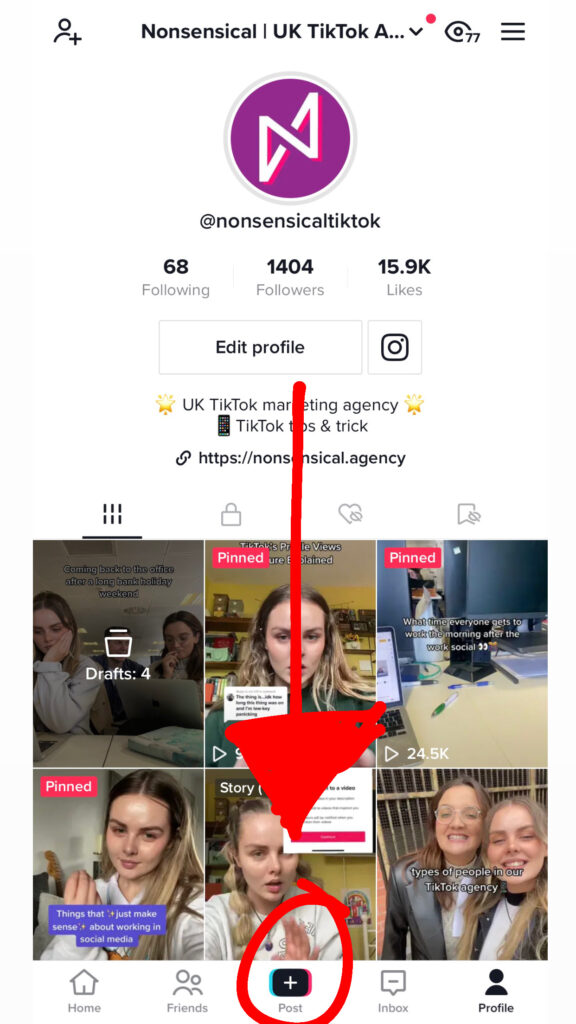
- Press the + post button at the bottom centre of the screen and film or upload your video.

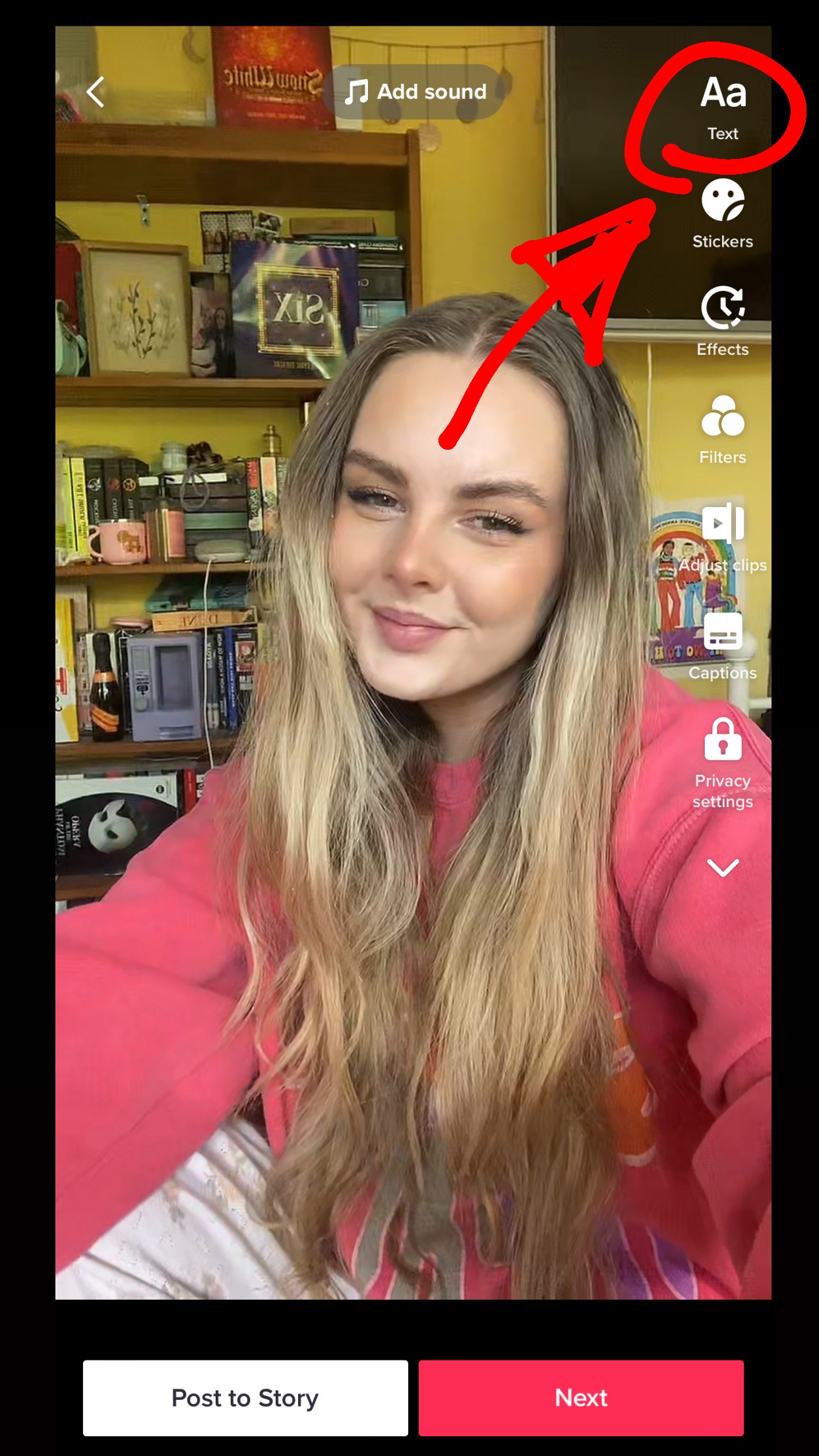
- Use the Text button in the top right and add the text you want on the screen.


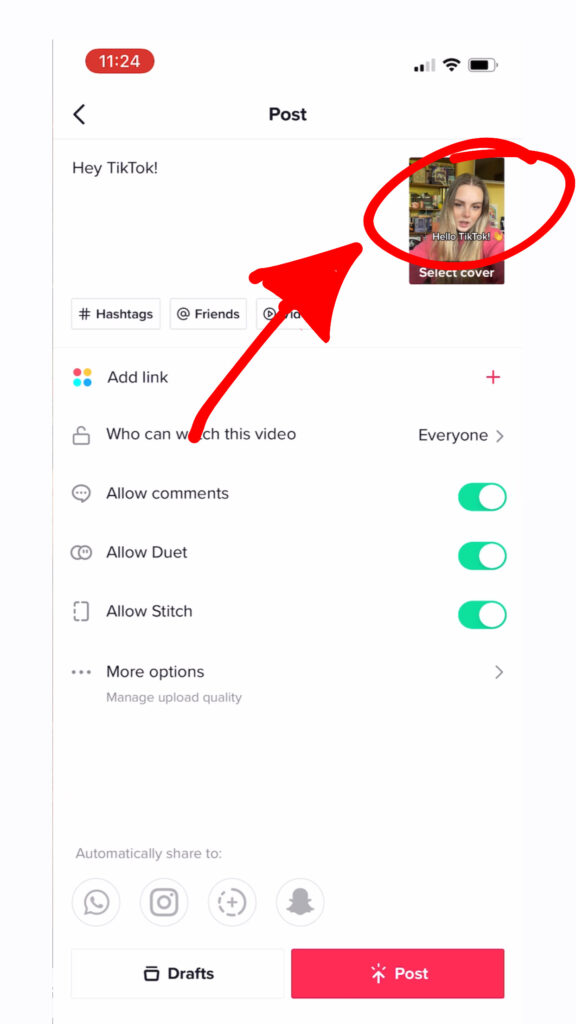
- After you press Next, you’ll have a final screen before you can post. Here you’ll add your caption, any links and edit privacy settings.
However, in the top right there’s a mini image of your video, click this (Not the Select cover button, the image above it.)
From here it’ll show you how the video will look on TikTok and if your text has been cut off by anything.
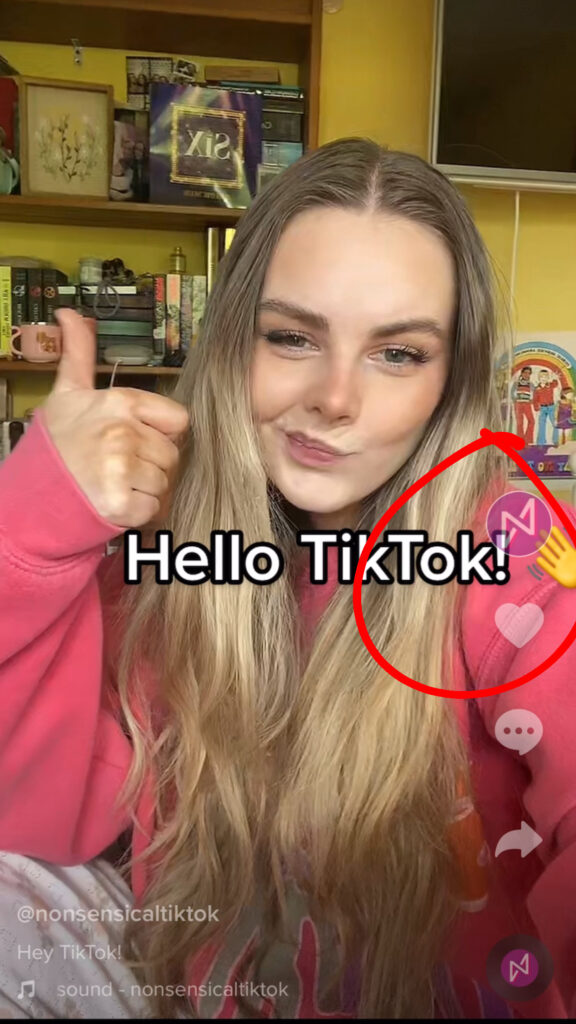
If it’s not perfectly visible, go back and edit it.
- Repeat these steps until you have it looking perfect and then press post!
With these tips perfected, your brand can be well on its way to creating content that attracts a great following!.